Sleip Remote
Invite to record
An add-on to Sleip Pro Vet and Sleip Pro — extending your reach with remote recordings shared with you from invited owners, riders, and grooms.

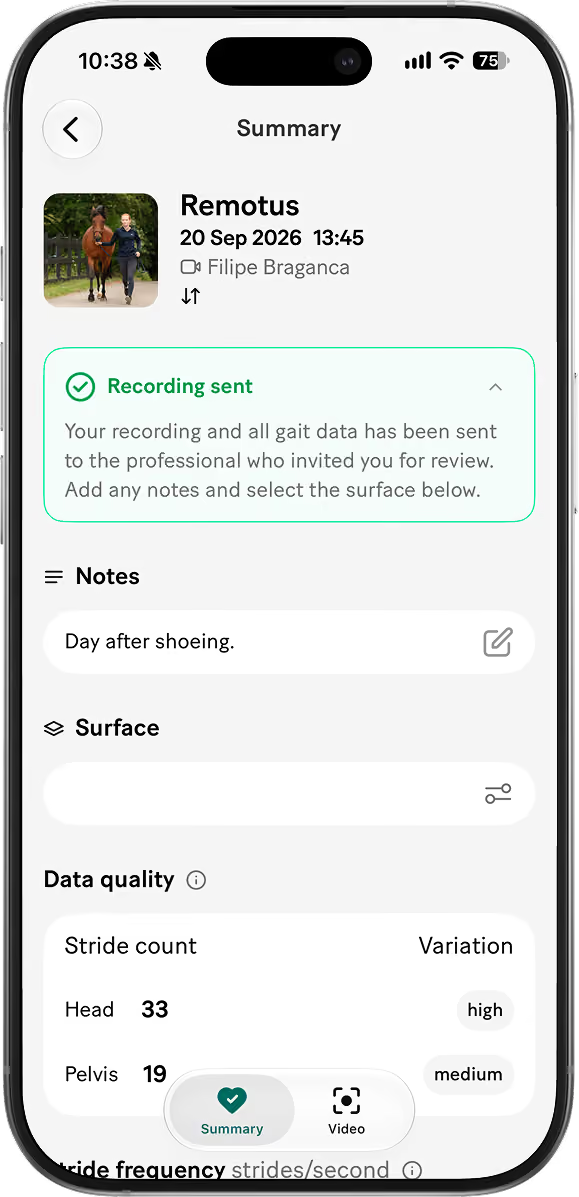
Invited users get a simplified companion app where they can record and only see limited analysis results. Generally, clients are charged a fee for access and review of results.

Collaborate wherever the horse is

Sleip Remote lets you invite clients and others to record specific horses using a simplified version of the app. Recordings can be made from anywhere — no special setup required.

Results in your hands

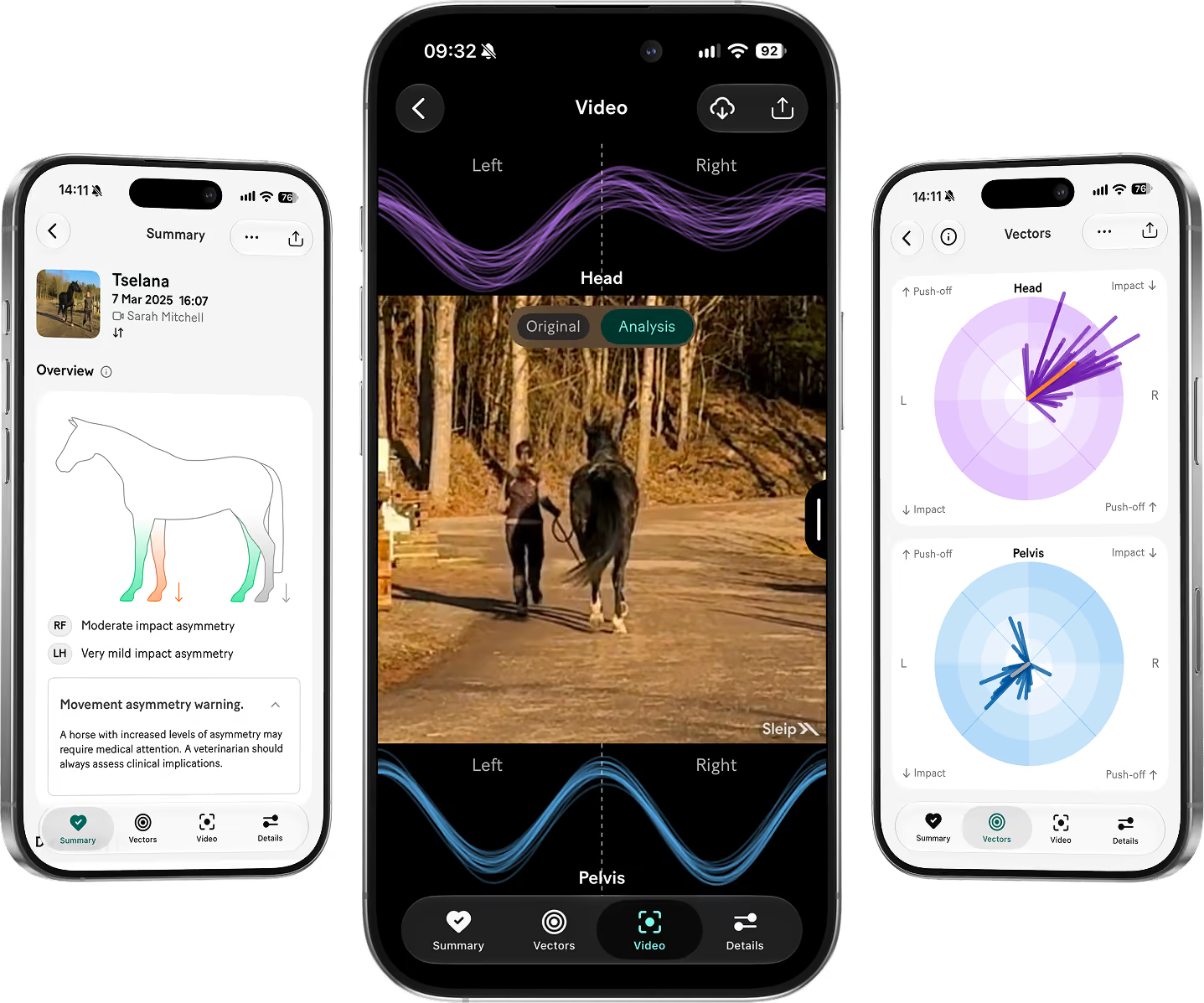
Each recording is automatically analysed, with full asymmetry data uploaded directly to the veterinarian’s or equine professional’s main Sleip account. The recorder can view their own slow-motion analysis video and recording quality feedback, while detailed gait data remains accessible only by the main account.

Support continuity of care and training

Sleip Remote makes it easy to follow up between visits. Monitor progress, support clients remotely, and make data-driven decisions — wherever the horse is.

How it works
Activate in the app
Add Sleip Remote to your Sleip Pro Vet or Sleip Pro subscription. Pricing starts from €60 / $75 per month, covering up to 15 horses shared for remote recordings.
Invite to record
The invited person receives an email with a download link and login details for the simplified Sleip app. The horse automatically appears in their account. Short instructional videos guide them through recording on the straight-line and on the circle.
Results are shared with you automatically
Once processing is complete, you’ll receive a notification. The new recording and analysis appear automatically in your main Sleip account. Detailed results can be shared back via weblink or PDF export, at your discretion.
Horse owner?
Sleip is used by vets and other equine professionals to support gait assessment and monitor progress. To record your horse, you’ll need to be invited. Talk to your vet — they’re welcome to get in touch with us to try Sleip.
FAQ

Explore

User guides

Explore

Articles

Explore